Client Harnesses Drift. Here's the Monitoring Dashboard That Catches It.
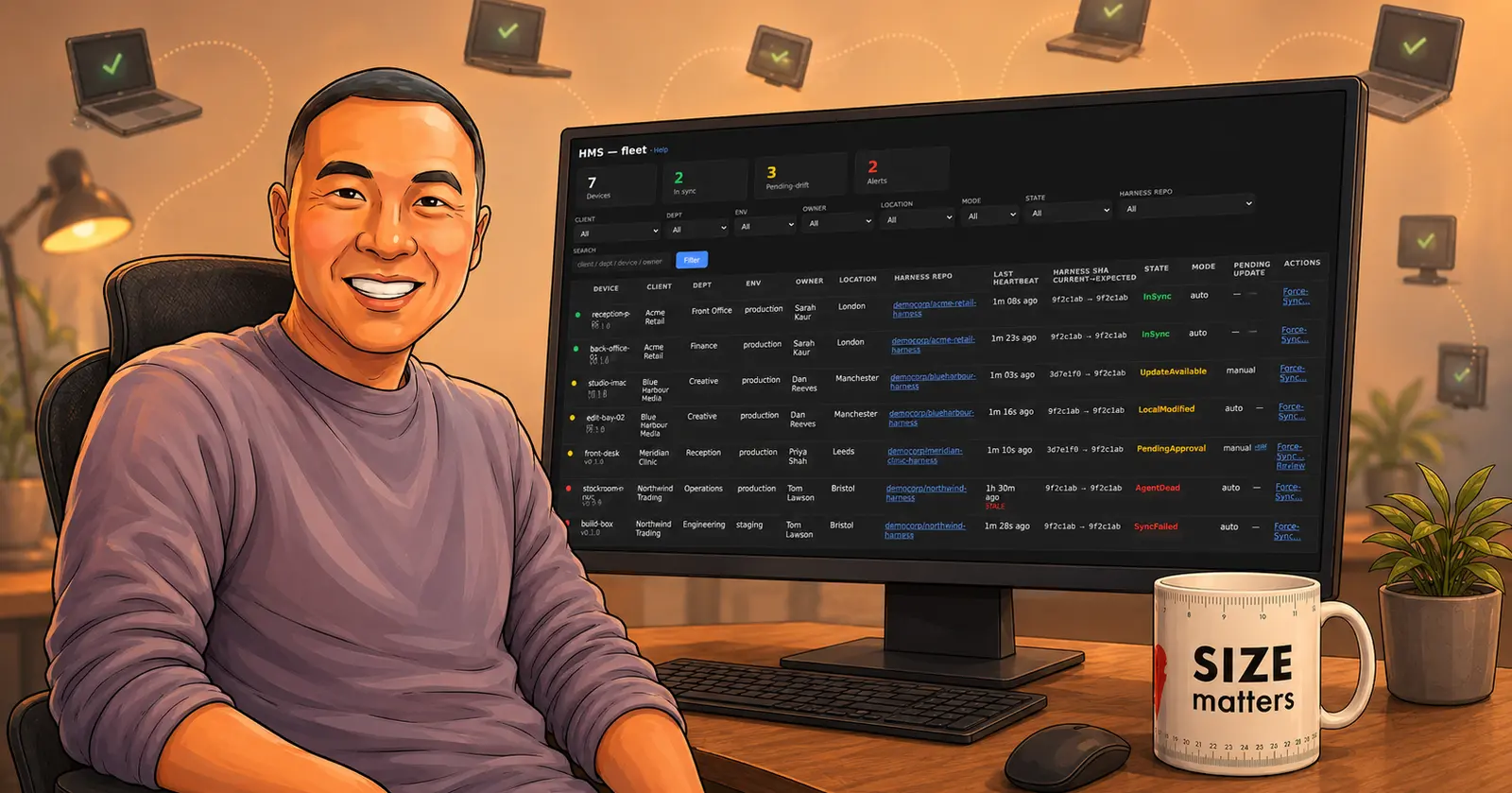
I build AI harnesses for clients. A harness is the simple scaffolding around Claude Code that makes it actually useful for real work: the rules, the guardrails, the workflow, the standards it has to follow. I have written before about why you even need one. This post is about what happens after I hand one over.
Because once I hand a harness over, it does not live on my machine. It lives on theirs.
And that is the whole problem. I improve the harness every 2-4 weeks. New rules, a fixed workflow, a tighter guard. On my own repo that is easy, I just commit and move on. But the client’s copy is sitting on a laptop in another city, or three laptops, or a machine in their office I have never seen. Is it still the current version? Did someone edit a file they shouldn’t have? Is the thing even running? I cannot SSH into a client’s computer every time I feel like checking. So for a while, I was flying blind.
I did not want a big platform to fix this. I wanted one screen.
One screen, and that is it
Here is what I actually needed to know. Which machines are running the harness. Are they on the latest version. Has anything drifted (drift just means the copy on their machine no longer matches the version I published, someone changed a file, or the update never landed). That is it. Three questions.
So that is what I built. It is called HMS, the Harness Management System, and the whole thing is one dashboard.
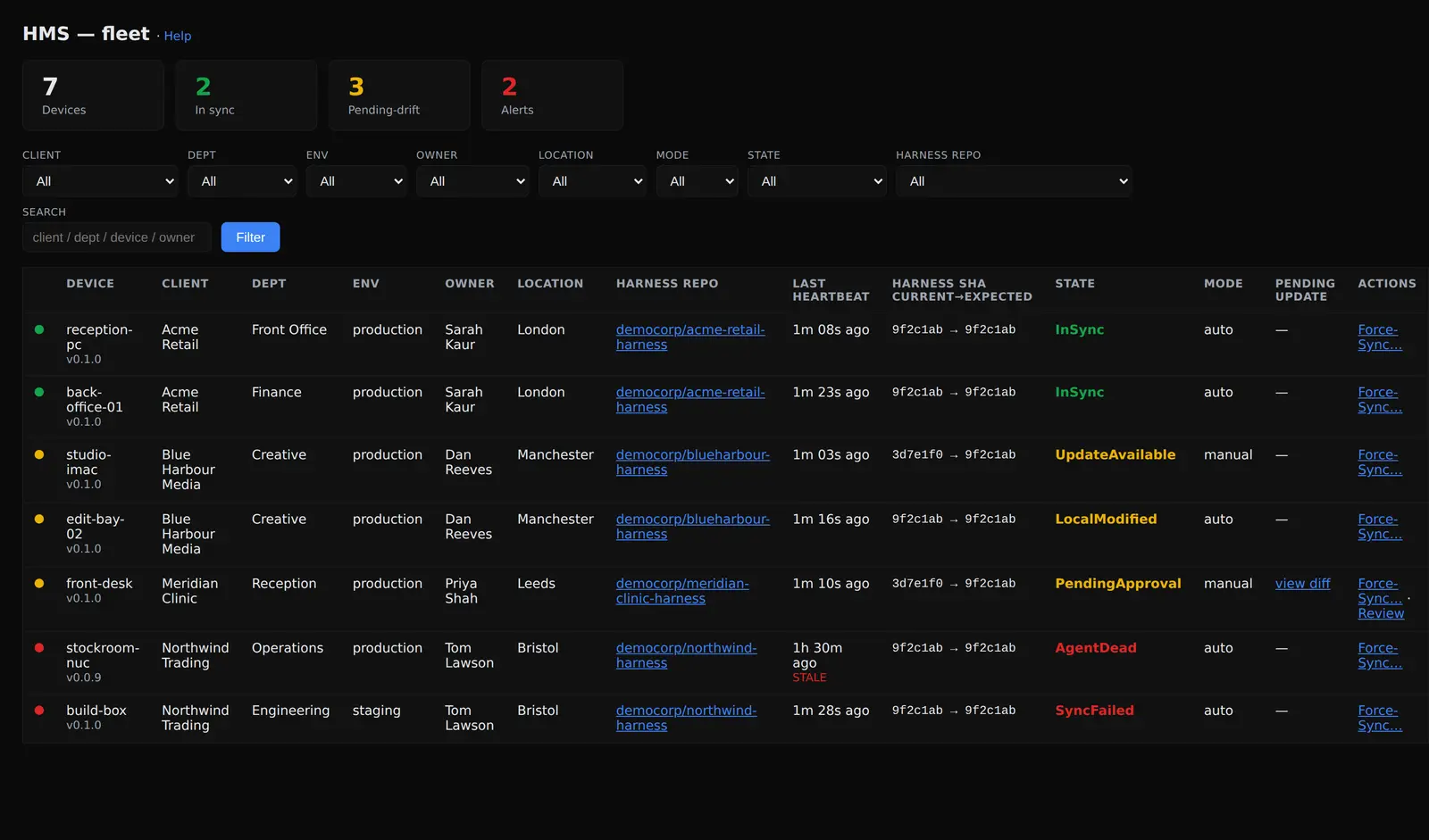
Green means in sync. Amber means something needs a look (an update is waiting, or a file drifted, or the machine is asking me to approve a change). Red means go and deal with it now (the agent is dead, or a sync failed). I can glance at this for two seconds and know if the whole fleet is healthy or if one machine needs me. No client names here are real, by the way. This is a demo fleet I seeded to write this post.
How an update actually reaches a machine
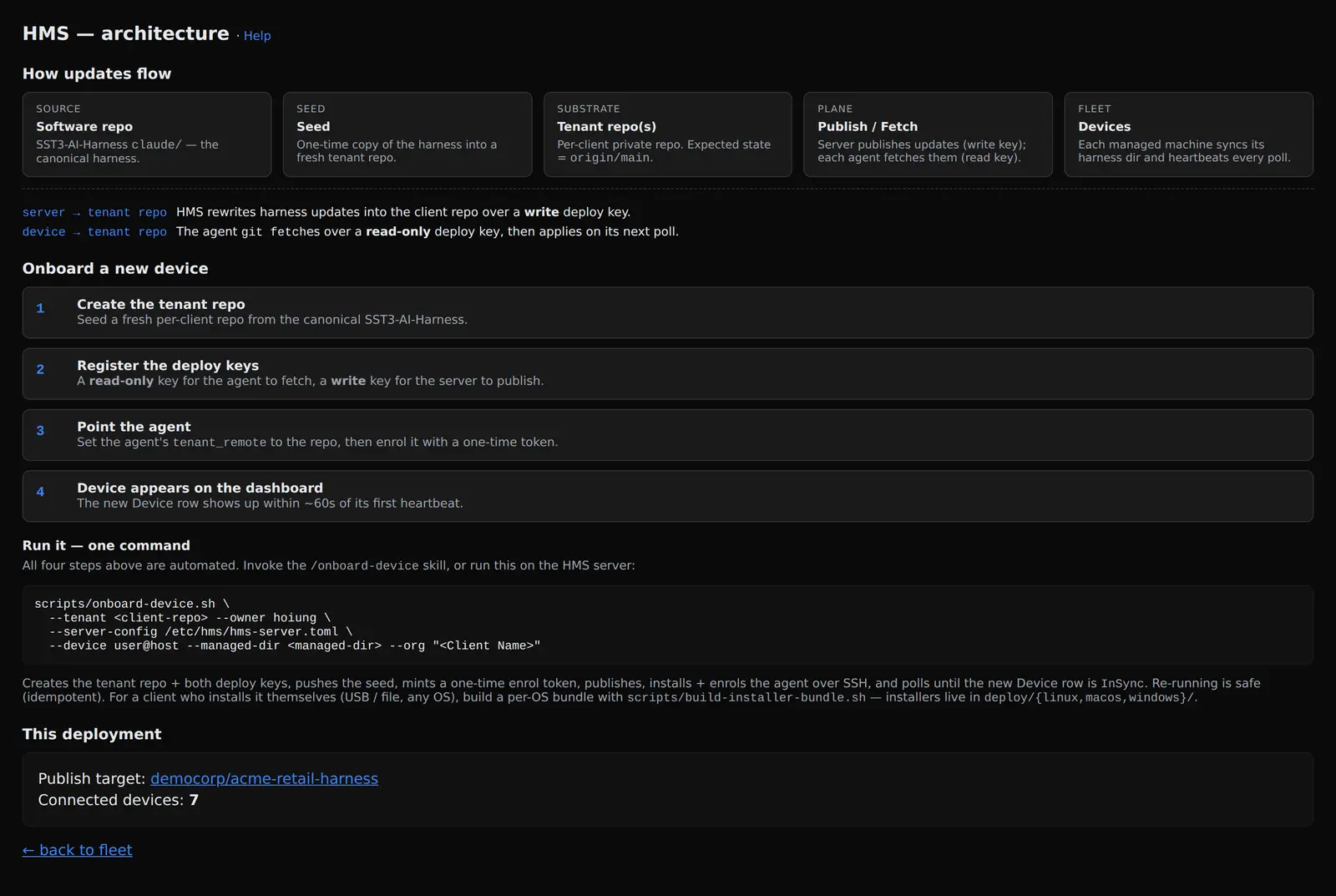
The flow is deliberately simple. There is one canonical harness (mine). It gets seeded once into a private repo for each client. When I ship an update, the server publishes it into that client repo. Each machine then fetches it and applies it on its next poll. And every poll, the machine sends back a heartbeat.
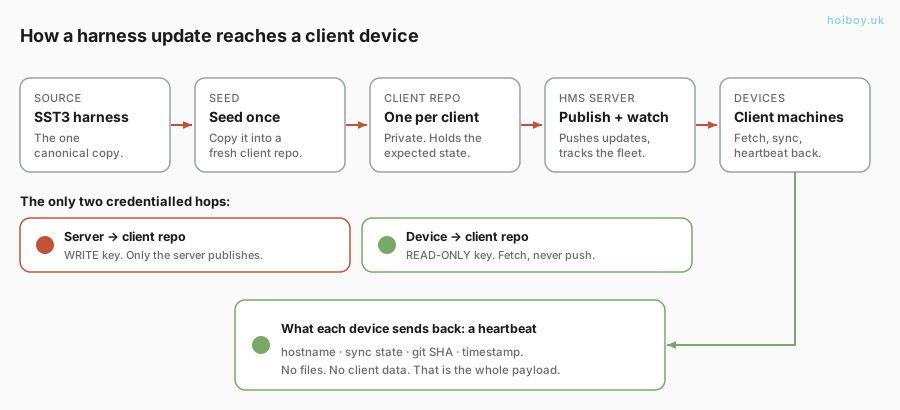
Look at what travels back in that heartbeat: a hostname, a sync state, a git commit hash, and a timestamp. That is the entire payload. Not one line of the client’s files. Not their code, not their documents, not their business. The dashboard can tell me a machine is three commits behind, and it still cannot tell me a single thing that is inside those commits on their side. That was the design constraint from day one, not a feature I bolted on later.
Security first, because it is on someone else’s computer
This is the part I spent the most time on. When your software runs on a client’s machine, you are a guest. You behave like one.
The agent on each machine gets a read-only key. It can pull updates. It literally cannot push. That is not a policy I am trusting people to follow, the list of git commands it is allowed to run does not include push at all, so even a bug cannot make it write to the client’s repo. The one write key lives on my server and nowhere else.
Getting a machine enrolled uses a one-time token that expires in 24 hours. It is handed over out of band, it is used once, and it never sits in the process list where anything could read it. The credentials the agent stores are locked to the owner account (mode 0600 on Linux and Mac, a locked-down access rule on Windows). Small things. They add up to “I would be comfortable running this on my own laptop”, which is the bar.
Over the internet, without opening a door
Two connections matter here, and they are worth separating.
The harness updates do not come from my home lab at all. Each client has a private repo on GitHub, and the machine pulls from there over a read-only key. GitHub does the hosting and keeps the full history, so I can always roll back, and my server never hands out code.
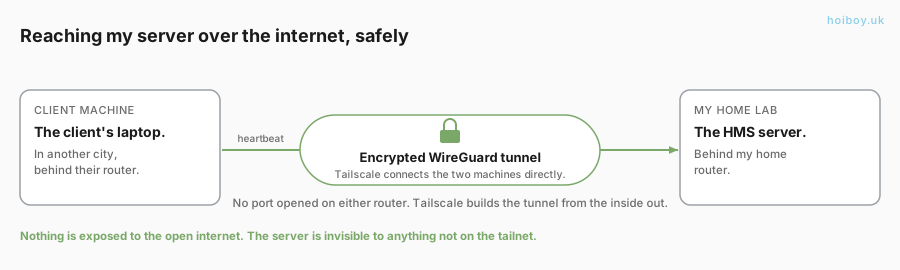
The only thing that comes back to my lab is the heartbeat. Which raises the obvious question: how does a laptop in another city reach a server behind my home router, without me opening a port to the whole internet?
I do not open one. The server and each machine join a private network called a tailnet (I use Tailscale). It builds a direct, encrypted WireGuard tunnel between the two and punches through both routers on its own. Nothing is exposed to the open internet, my server is invisible to anything that is not on that tailnet, and the heartbeat travels inside the tunnel already encrypted, with a per-machine token on top.
I deliberately skipped a public proxy or a tunnel service in front of it. That is one more thing to run, one more thing that can go down and take the whole fleet dark with it, and it routes traffic out through someone else’s edge for no reason. For a client that cannot join the tailnet, the server also speaks plain HTTPS with a pinned certificate. Same result either way: encrypted, and trusting only the machines I allow.
Not overengineered, on purpose
I could have reached for Kubernetes, a message queue, a full monitoring stack, a fancy web app. For watching a handful of machines run a git sync, that is a cannon for a fly.
So the dashboard is server-rendered HTML with zero JavaScript. It loads instantly and there is nothing in the browser to break. The agent is a tiny program that does one job: poll, compare, report. I even kept the heavy async machinery out of it on purpose, so it stays a small, simple binary. And I ship the installers unsigned and let clients click through the OS warning, rather than pay for code-signing I do not need at this stage. Simple where I can be. Careful where it counts. That split is the SST3-AI-Harness way of doing things, and this is just the same instinct applied to watching client machines.
Onboarding a new machine ended up as one command that does the lot: make the client repo, mint the keys, push the seed, install the agent, and wait for it to show up green on the dashboard.
Simple is the point
I have spent twenty years building things, and the lesson keeps repeating: the stuff running quietly in the background should be simple. Nobody needs excitement from the system watching their machines.
So now I glance at one screen and I know. Every client harness, current or not, drifted or clean, alive or dead. That is how I will manage harnesses for clients from here on. Not by hoping. But by looking.